How to Add a Video Message to Your eCard
Record or upload up to 30 seconds. It falls out of the card with your photos — first, or as the finale — and they see you, not just your words. A Card Pack feature.
Where to Find It
On the Make it step, the first screen is your photos. Under the photo grid, tap Add a video. It sits beside Take a photo.
It is a Card Pack feature. The banner at the top of the screen names what the credit unlocks — video, up to fifteen photos. On a free card the button carries a small lock and opens the Card Pack offer instead.
Add the video before or after your photos, whichever you like. One video per card.
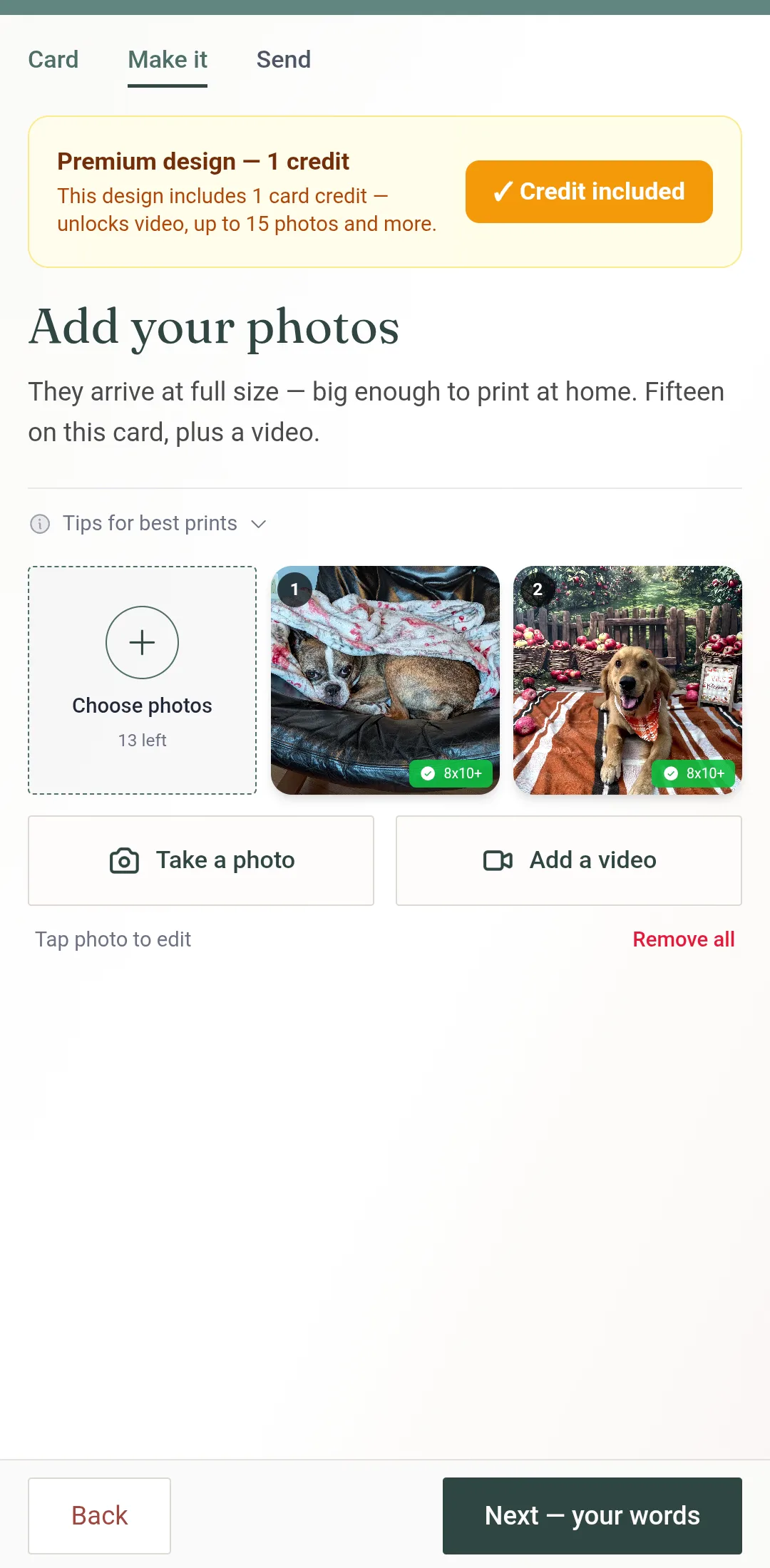
Record or Upload
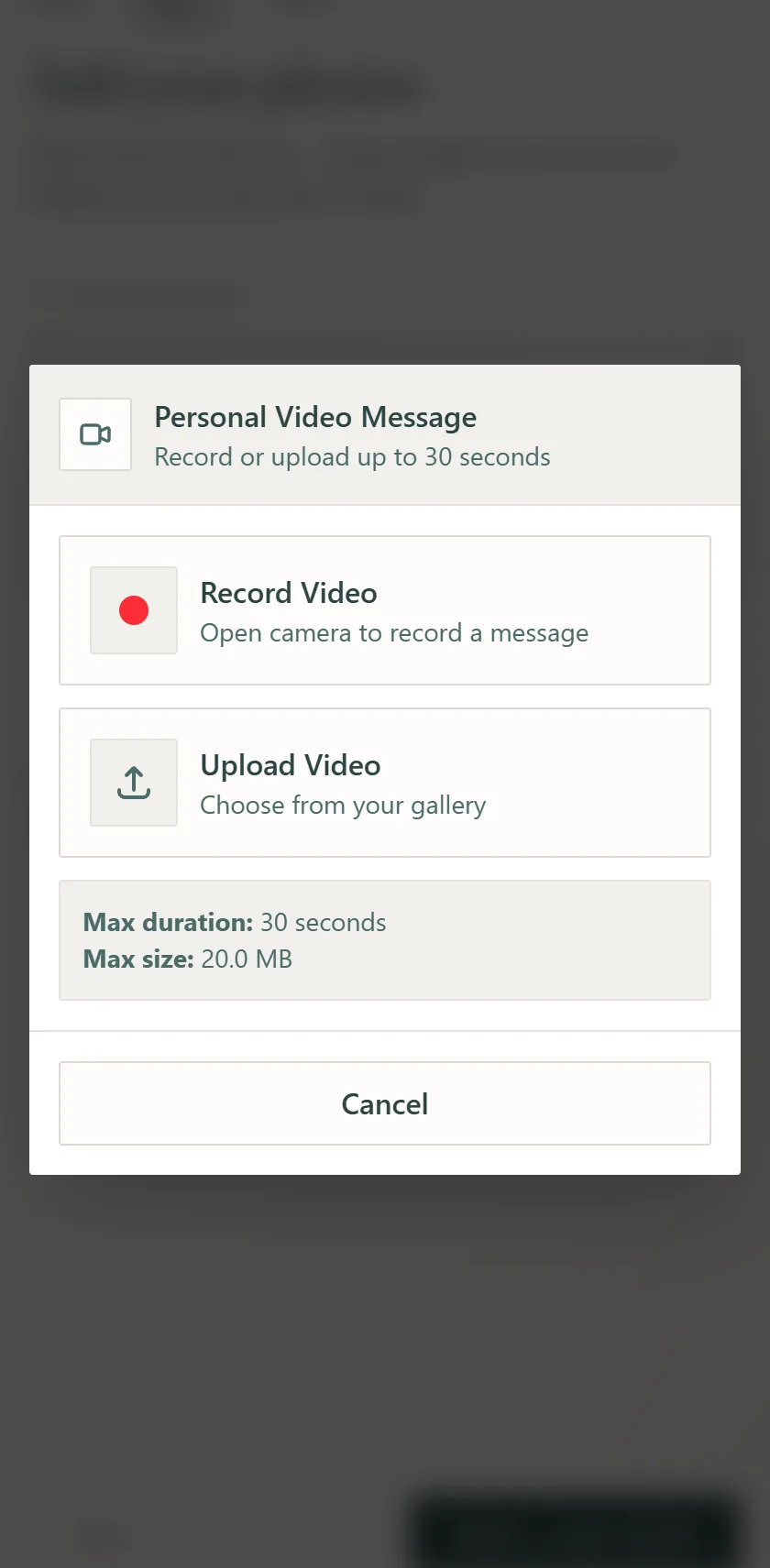
A panel called Personal Video Message opens with two choices.
Record Video — on a phone this opens your camera; on a computer it uses the webcam, with a countdown from 30 seconds. Recording stops itself at 30; Stop Recording ends it sooner, Cancel backs out.
Upload Video — choose from your gallery, or a file on your computer: MP4, WebM or MOV.
Limits: 30 seconds and 60 MB. A longer or larger file is refused with a message rather than trimmed, so cut it down first. The first time you record, your browser asks for camera and microphone permission — allow it.
Choose When It Plays
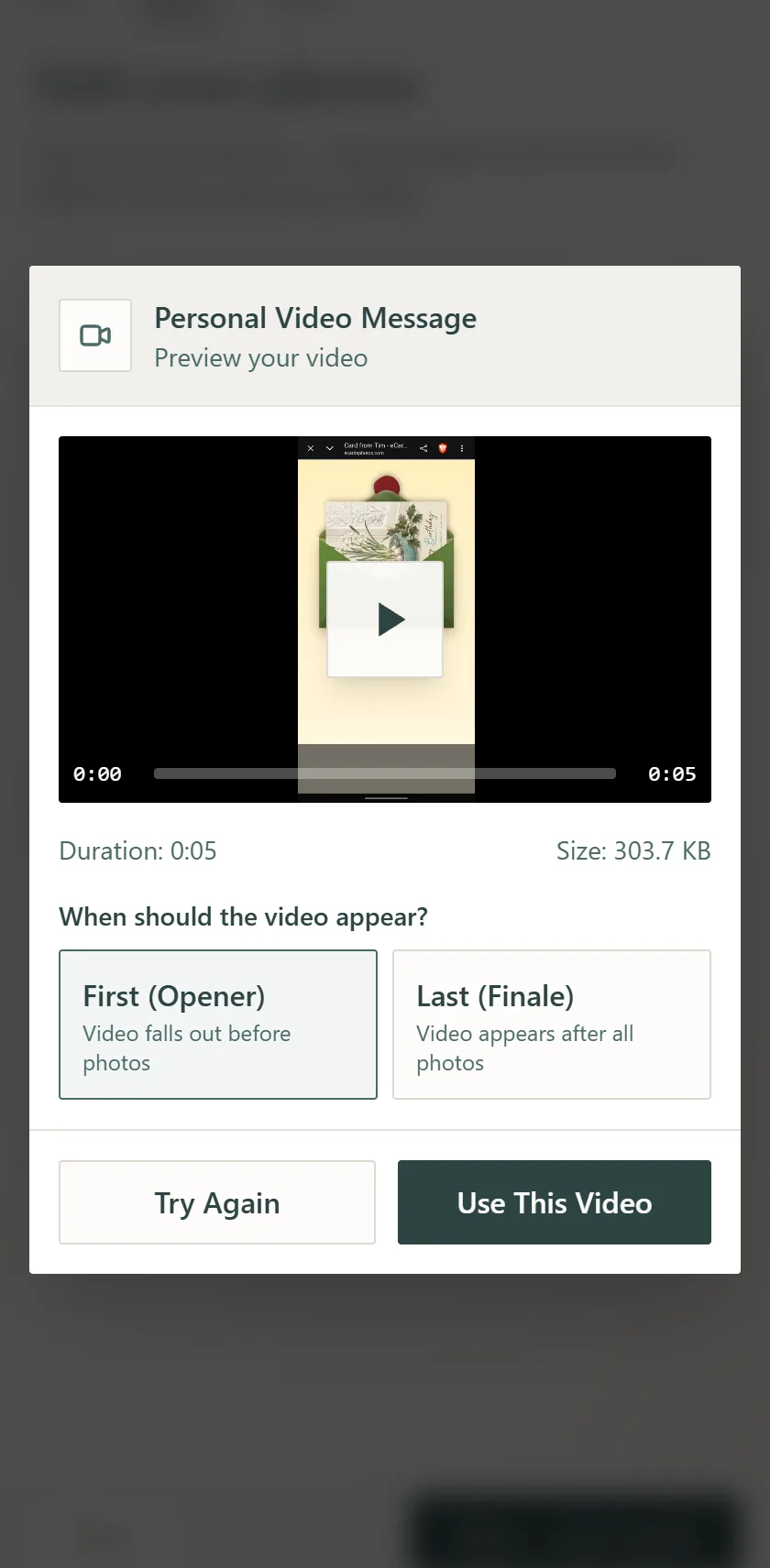
Tap the play square to watch it back. The length and file size sit under the preview.
When should the video appear? First (Opener) — the video falls out before the photos. Last (Finale) — it appears after all the photos.
Use This Video attaches it. Try Again goes back to Record or Upload.
Back on the Photos Screen
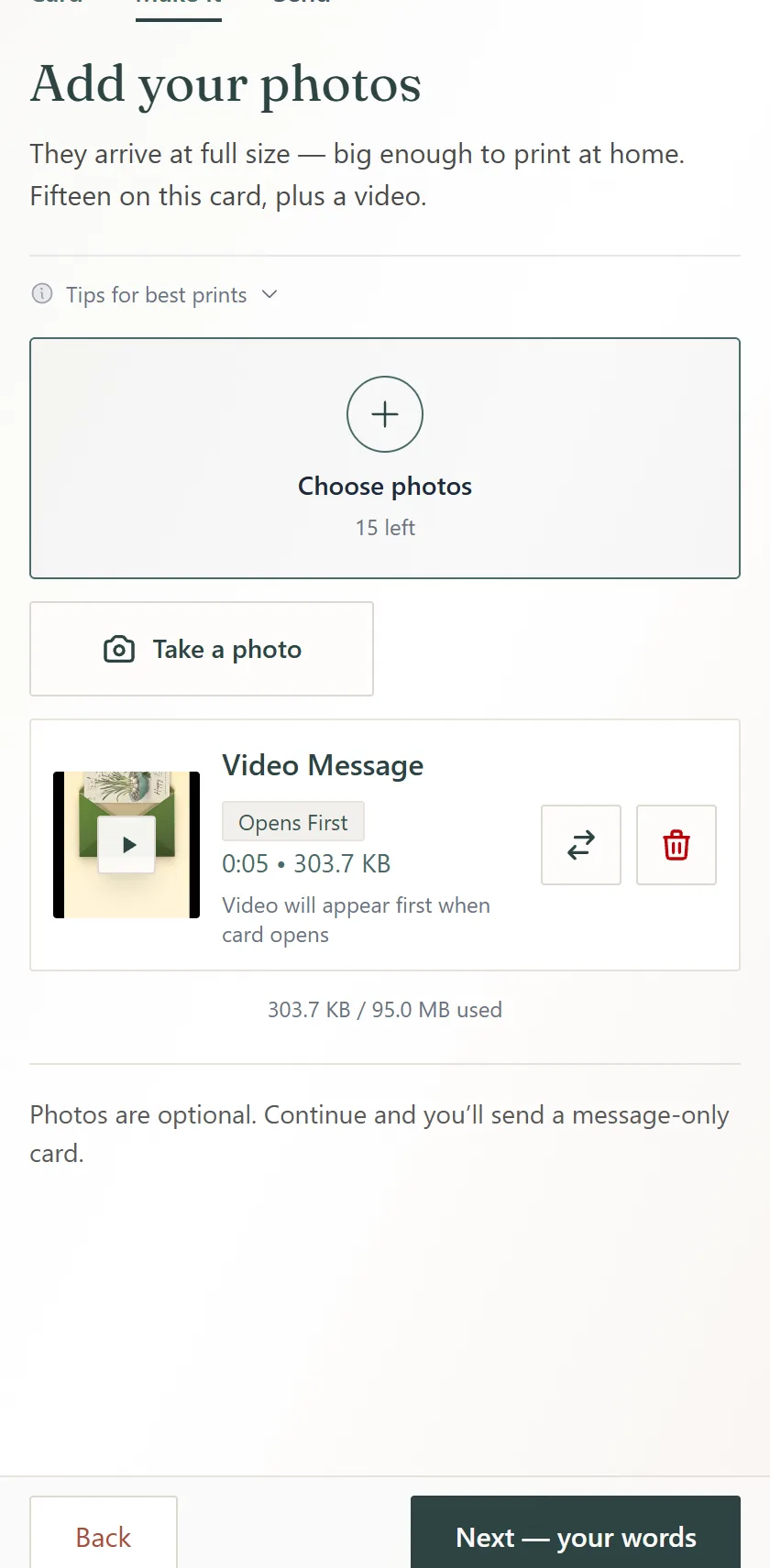
A Video Message card appears under the photo buttons: the thumbnail, the length and size, and a badge that reads Opens First or Finale.
The arrows swap it between first and last. The bin removes it — then Add a video is back if you want a different one.
The storage line under it counts the video with your photos.
What Your Recipient Sees
The video is one of the things that fall out of the card — the first of them or the last, as you chose — with your thumbnail on its face. They tap it and it plays, with sound; a tap pauses it. It is in the downloaded card too: Keep Card packs the video into the file with the photos, so it plays with no internet.
Signature Cards Are a Different Thing
A Signature Card is a design whose front cover is a looping video instead of a still image. On the Card step those designs are labelled Signature · needs a credit. They have nothing to do with the video you record: you can use a Signature design, add your own video message, or do both on one card — one credit covers the card either way.
Tips for a Good Video
Face the light
A window in front of you, not behind you. Upright or sideways both play fine.
Say the specific thing
Their name, one memory, one line you would say in person. Fifteen seconds is plenty.
If the camera will not start
The panel tells you so. Check the browser's camera permission, or record with your phone's camera app and upload it instead.
Too long or too big?
Trim it in your phone's gallery to under 30 seconds. A 30-second 1080p clip is roughly 32 MB, so most fit; 4K clips do not — record in 1080p or trim.
Frequently Asked Questions
How long can a video message be, and how big?
What video formats can I upload?
Can I choose when the video plays?
Is it free?
Can I add more than one video?
Is the video in the downloaded card?
What are Signature Cards?
Related Help
Try a Video Message
One credit unlocks a video message, fifteen photos and more on the card. Get a Card Pack and record yours.
Create Your Card