The Card Envelope: an arrival, not a link
A card made with a Card Pack credit arrives as a sealed, addressed envelope that your recipient opens themselves. Here is what they see, and how to design it.
What the recipient sees
A card made with a Card Pack credit does not simply load. It arrives as a closed envelope with the recipient's name written on the front, sealed with wax. They tap it, the seal breaks, and the card slides out.
That one deliberate action is the whole point. It is the difference between watching something and receiving something — nobody has opened it before them, and the broken seal is the proof.
Free cards do not have an envelope. They open with a simpler entrance, where the photos drop into place. The envelope is the one part of the experience a Card Pack credit changes for the person receiving the card rather than for you.
Where to find it
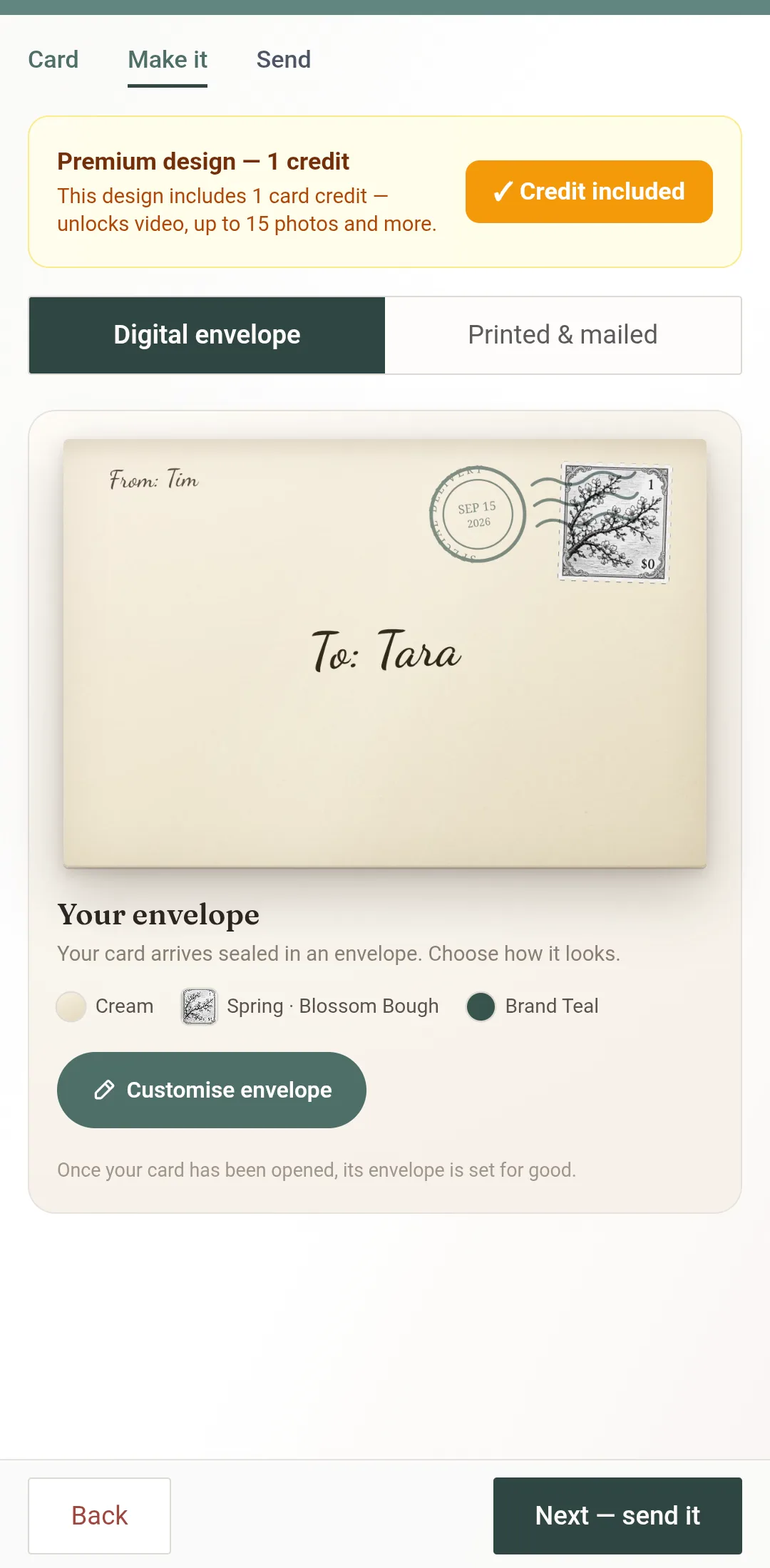
The envelope is the last thing on the Make it step, after your words:
Build your card as usual — design, photos, words.
Under Digital envelope, Your envelope shows the current design addressed with the names you typed. Three quick looks sit beneath it — a paper and a stamp already paired.
Tap Customise envelope to open the Envelope Studio, a full-screen editor with four tabs.
Tap Done to come back. The envelope on the Make it step always shows what will actually arrive; Next — send it takes you on.
No envelope on the Make it step means the card is a free one. Apply a Card Pack credit on the Card step and the envelope comes with it.
The four choices
Four tabs — Stamp, Paper, Writing, Seal — and every choice shows on the envelope as you make it. Flip the preview between the Address side and the Wax seal to see both faces.
Stamp
The postage in the corner, from a searchable seasonal sheet. It is franked by the postmark when your card is sent. Pick one that references the occasion or the person if there is an obvious fit — and a neutral one if there is not. A stamp that is trying too hard is worse than a plain one.
Paper
Pick a grain — fibre, linen, felt, vellum, kraft — then a colour, from cream and plain stocks to dark, heavy ones. This sets the register more than anything else: kraft reads casual and warm, a dark stock reads formal and serious, plain white gets out of the way. The address ink adjusts so the names stay readable on whatever you choose.
Writing
The hand the names are written in — Fountain Pen, Felt Marker, Copperplate, Block Caps, Typewriter — plus the address ink and the postmark ink (or let the postmark match the seal). You can retype the To and From names here, or draw them with a finger. This is the first thing the recipient reads, so treat it as a voice decision rather than a decorative one.
Seal
The wax that visibly breaks when they open it, in a range of colours. This is the piece doing the most work for the least effort, because a broken seal is unambiguous evidence that they were first.
Choosing a hand that sounds like you
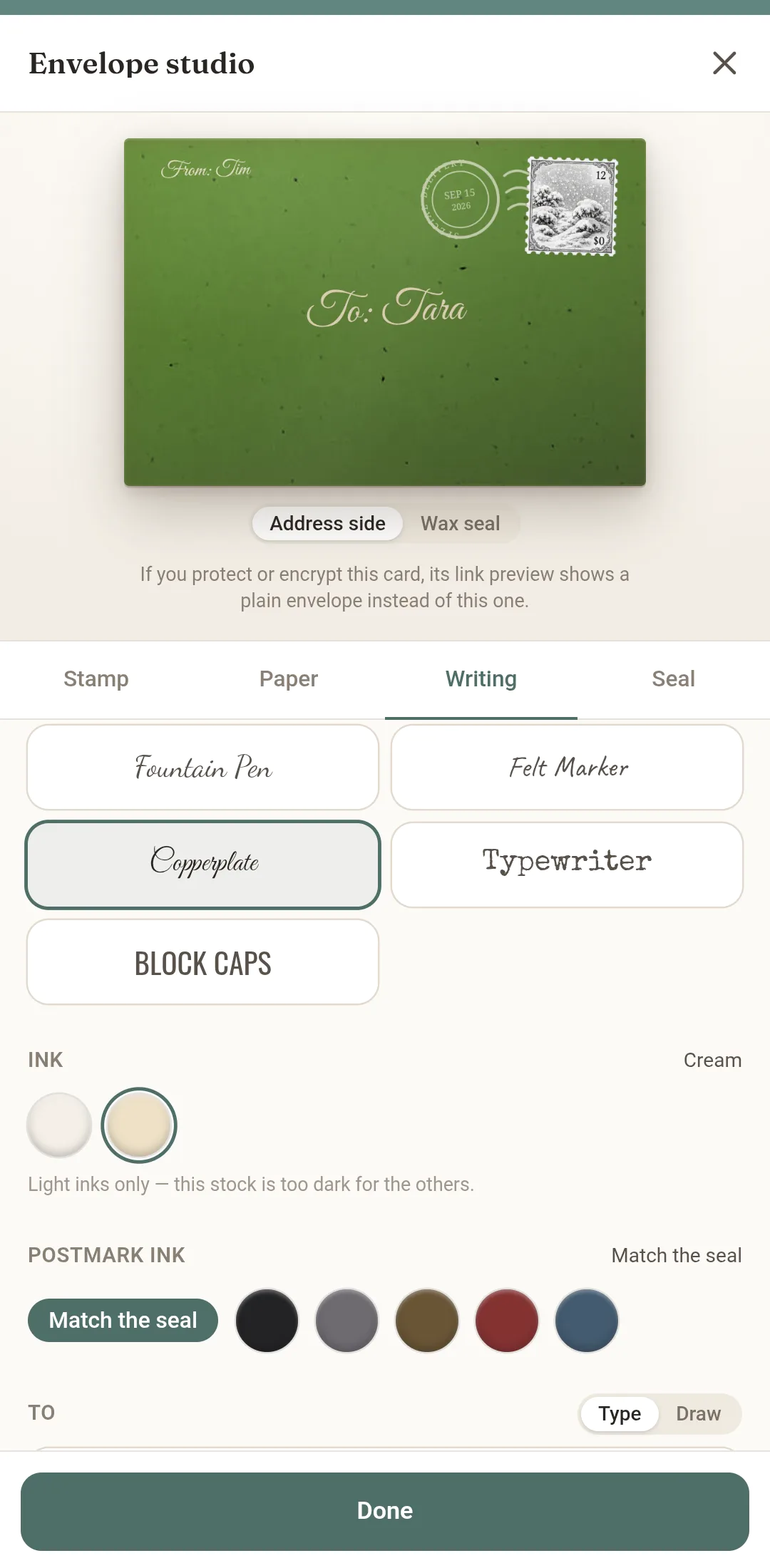
A tidy, upright hand reads sincere and a little formal — right for sympathy, for a boss, for a card doing serious work. A loose, fast hand reads like a note left on a kitchen counter, which is exactly right for a close friend and completely wrong for a condolence card. A wide looping script reads celebratory and is at home on a wedding or an anniversary.
The quickest way to choose: say your message out loud in your head, notice whether you are speaking carefully or quickly, and pick the hand that matches.
The preview is the real thing
The envelope shown in the Studio is not a mock-up. It is the same envelope the recipient will open, rendered by the same code, which means what you approve and what arrives cannot drift apart.
It is worth opening it once yourself before you send — tap through the whole arrival so you know exactly what the other person is about to experience. Once your card has been opened, its envelope is set for good.
If you protect or seal the card, the link preview in a message shows a plain envelope instead of this one — the design is revealed when they open it, not before.
Frequently Asked Questions
Do all cards arrive in an envelope?
Does the envelope open by itself?
Can I see what it will look like before I send it?
What if my recipient does not realise they should tap it?
Is this the same as the paper envelope with a printed card?
Can I change the digital envelope after sending?
Related
Design one now
Build a card, apply a credit, and open the Studio from Your envelope on the Make it step.
Create a card