Guide·four minutes to read, one evening to do
The next three months of cards, in one evening.
A card you make tonight can arrive on the right morning up to ninety days from now. Here is the evening routine that uses that, the timing rules worth knowing, and what actually lands on the day.
Why three months, not a year
Scheduling is not a calendar you fill once in January. A card can be set to send up to ninety days ahead, and no earlier than an hour from now. So the unit is a quarter: one evening, the birthdays and dates in the next three months, done and forgotten until the countdowns run out.
That limit is a feature. Ninety days is close enough that the photos are the ones you would actually pick, the message is about something that has happened, and a birthday card is not a nine-month-old artefact by the time it arrives.
Scheduling is a Card Pack feature — one credit per scheduled card, no subscription. If you are new to making a card at all, start to sent is the five-step version.
The evening routine
List the dates in the window
Everything in the next ninety days: birthdays, an anniversary, the holiday that falls inside it. Anything beyond that gets the next sitting, not this one.
Make each card
Design, photos, words, envelope — the same five steps as any card. Do them all before you schedule any; the making is the slow part.
On the Send step, switch it on
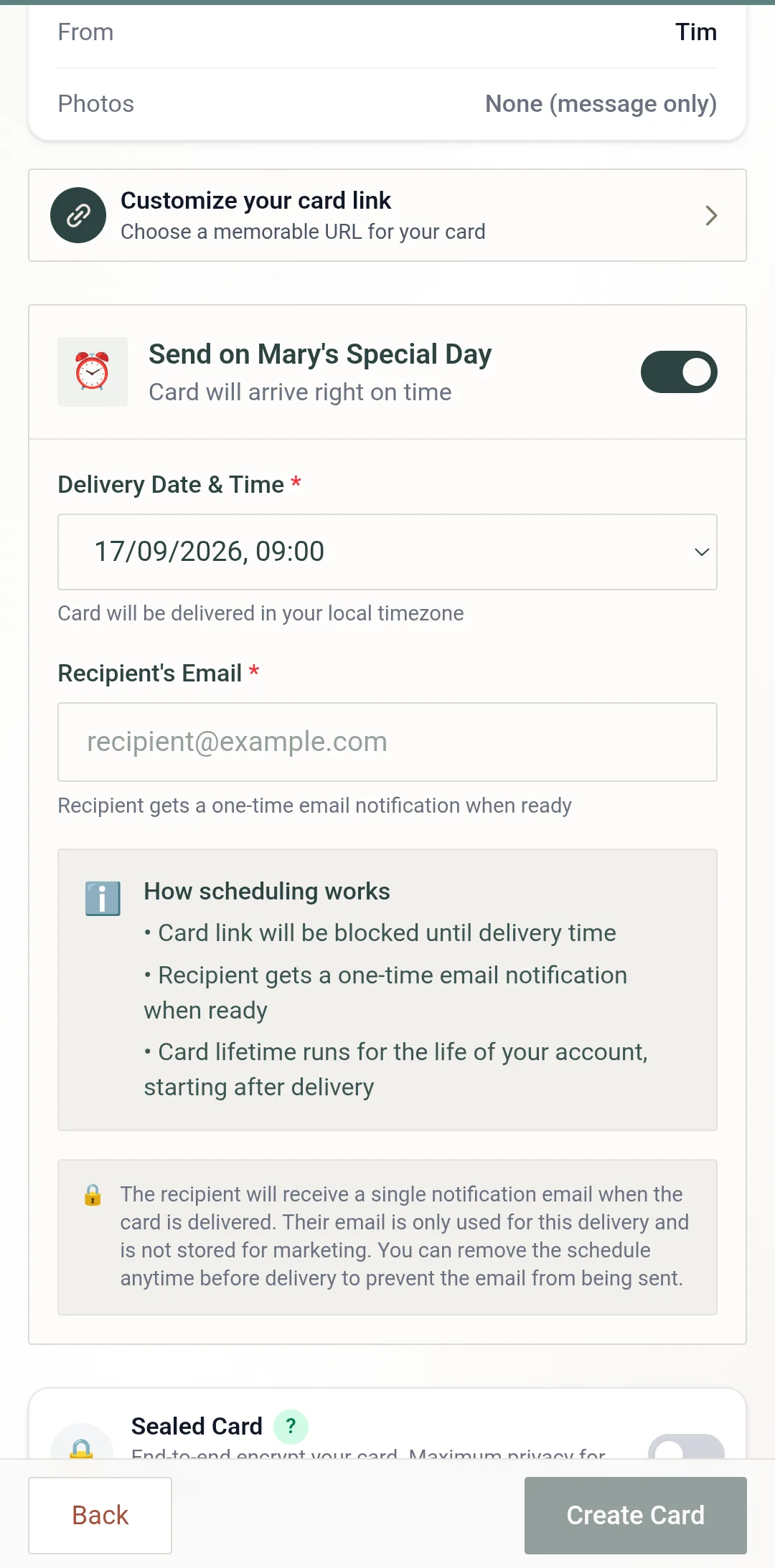
Turn on Send on their Special Day. Pick the Delivery Date & Time and enter the recipient's email — a scheduled card needs it, because the email is how the link reaches them.
Create Card
It lands in your dashboard's Scheduled tab with a countdown. Next card.
Look at the countdowns once
Five cards, five dates, five "Sends in" lines. If one is wrong, Reschedule fixes it now rather than on the morning.
Timing rules of thumb
Their morning, not yours
The delivery time is in your local timezone, and the picker says so. For someone overseas, either pick the hour that matches their morning or change the Timezone setting on your Profile page first.
Eight in the morning is the sweet spot
Early enough that it is waiting when they look at their phone, late enough that it does not wake anyone. A card that arrives at midnight reads as an automation; one that arrives with breakfast reads as you.
At least an hour, at most ninety days
Those are the limits, and the picker enforces them. "Tomorrow morning" is fine; "in forty minutes" is not, and neither is next spring.
Not a Sealed card
A Sealed card is end-to-end encrypted and cannot be scheduled. PIN protection, email verification and single-view all can — a PIN plus a delivery time is the classic surprise setup.
What happens on the day
Until the moment you chose, the card's link is blocked — nobody can open it early, including someone you have already told about it. At the delivery time the recipient gets a single email with the link. From there it is the ordinary experience: the envelope if it has one, the card, the photos falling out, the download button.
The card's own clock starts at delivery, not when you made it, so a card scheduled sixty days out has its full life ahead of it when it arrives. And on your side, the finished-card screen offers to remember this date for next year — take it, and next September's evening is already half planned.
Questions we get
Why only ninety days ahead?
The window is 90 days from the moment you schedule, so a whole year is not one sitting — it is four. That is deliberate: a card made for a birthday nine months out is a card you cannot change your mind about, and the photos you would choose in September are rarely the ones you would choose in June.
Does the recipient know the card was scheduled?
Nothing marks it. They receive the card's email at the time you chose, with the link, exactly as they would for a card you sent on the spot.
What if I change my mind before the day?
Open the Scheduled tab on your dashboard. Reschedule moves it, Send now delivers it straight away, and you can still edit or delete the card until the moment it sends. The help article has the details.
Can I schedule a free card?
No — scheduling is a Card Pack feature. Packs are a one-time purchase from $1.99, no subscription, and one credit covers one scheduled card. What scheduling is for.
Pick an evening. Do the next ninety days.
One Card Pack credit per scheduled card — a one-time purchase, no subscription.
Read next
How to schedule a card, step by step
The switch, the fields, the dashboard actions, and every rule — the reference this guide leans on.
Scheduled greeting cards
What scheduling is for, and the Card Pack that unlocks it.
What your recipient sees
From the email to the photos falling out — the other side of the day.